Setup & administration

Easy to set up.
Yours to evolve.

Get your workplace ready for booking. Then keep it up to date yourself as spaces, people and policies change.
Sites & floorplans Resources & rules Users & teams Your choice of setup help
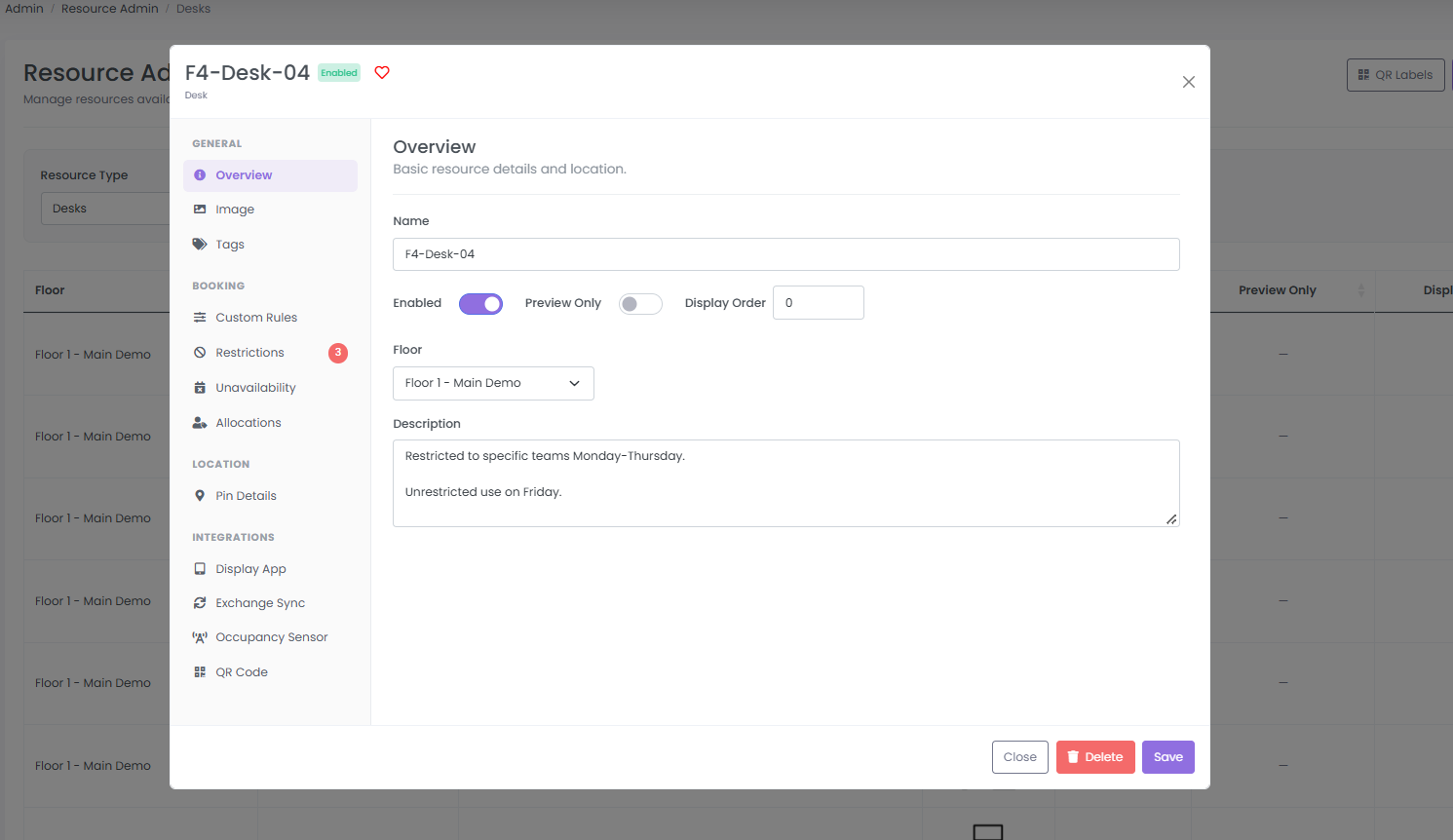
THE CONTROL IS IN YOUR HANDSOne resource. Its own rules.
Actual desk administration showing its floor, description and resource settings
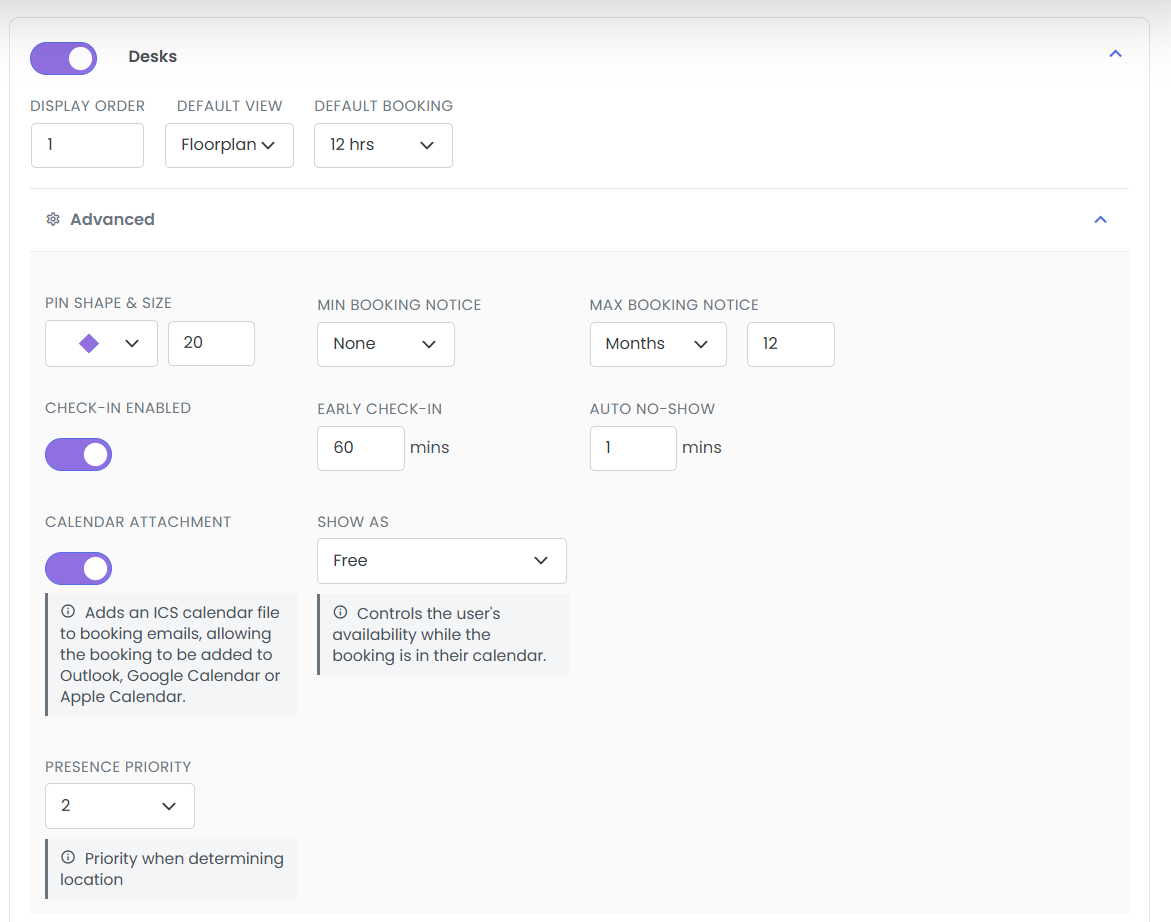
Then choose the arrival policyCheck-in. Early arrival. No-shows.
Actual check-in, early check-in and auto no-show controls
Real askAiB administration screens. Demo configuration shown.
From an empty portal to a working workplace

A clear route to getting started.

Start with your spaces and people. Configure how booking should work. Choose how much you do yourself and where you want our help.

  1. 01

    Organise your workplace

    Create the sites and floors people will use. Set local time zones, business hours and holidays.

  2. 02

    Add the things people book

    Create desks, rooms, parking and your own resource types. Bring the booking experience to life with floorplans.

  3. 03

    Bring in your people

    Manage users, roles and teams. Connect Microsoft Entra SSO and automated provisioning where required.

  4. 04

    Make the policies yours

    Set booking windows, check-in behaviour and resource restrictions. Test the experience before you roll it out.

See the controls

What does self-service
actually look like?

Choose a task to see the relevant controls in the genuine askAiB admin interface.

01 / 04

Your resources, in your language.

Create a type for the things your people need to book. Give it a name and icon, then choose which details matter.
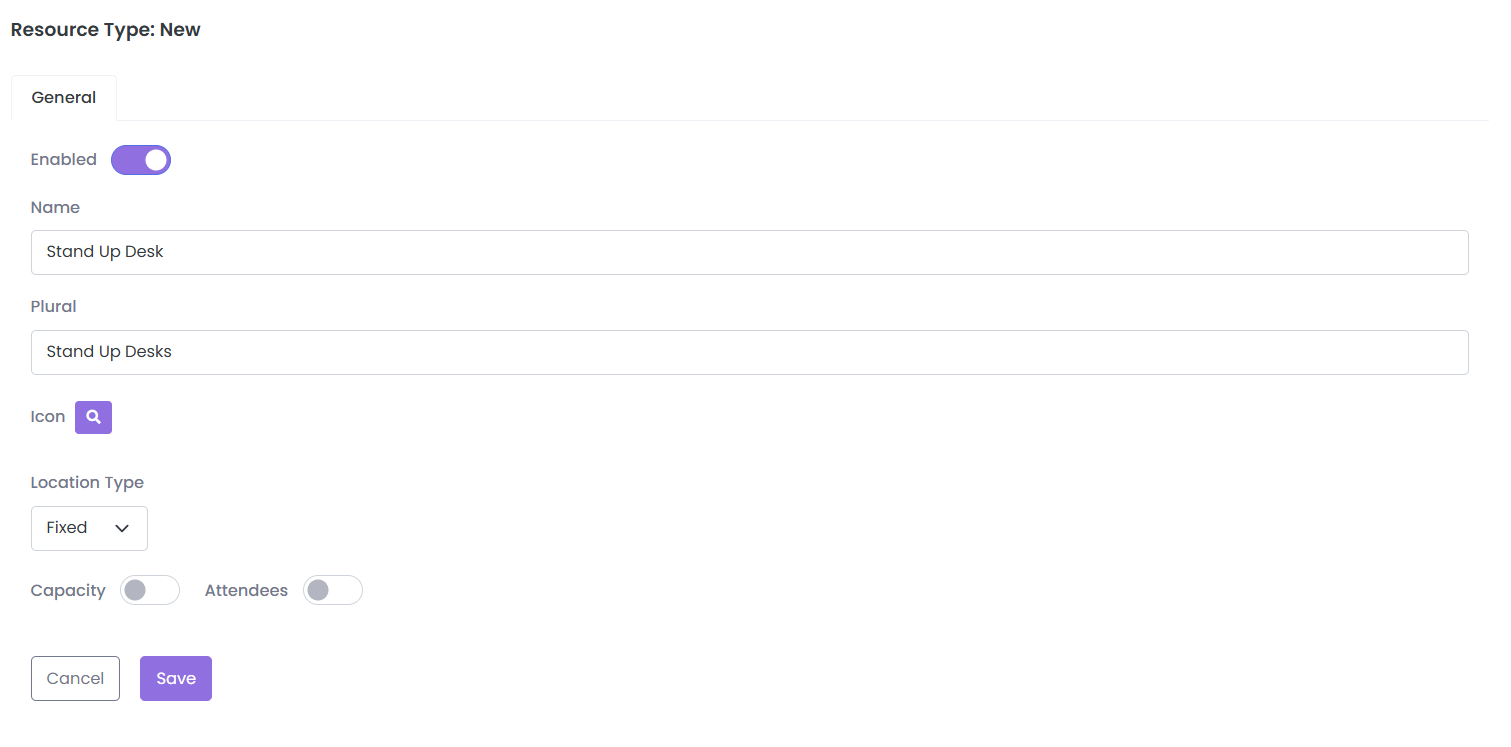
  • Name and plural
  • Location type
  • Capacity and attendees
ACTUAL ASKAIB INTERFACE Focused view
Real resource type form with Stand Up Desk, plural name, location type, capacity and attendees
Why it mattersA stand-up desk can be a resource type of its own, with settings that fit how you use it.Open the image for the full screen. Demo settings shown.
Build around the workplace you have

One platform.
Every location has its own needs.

Use shared portal settings for the foundations. Keep local hours, resource types and booking behaviour at site level. Handle exceptions on individual resources.
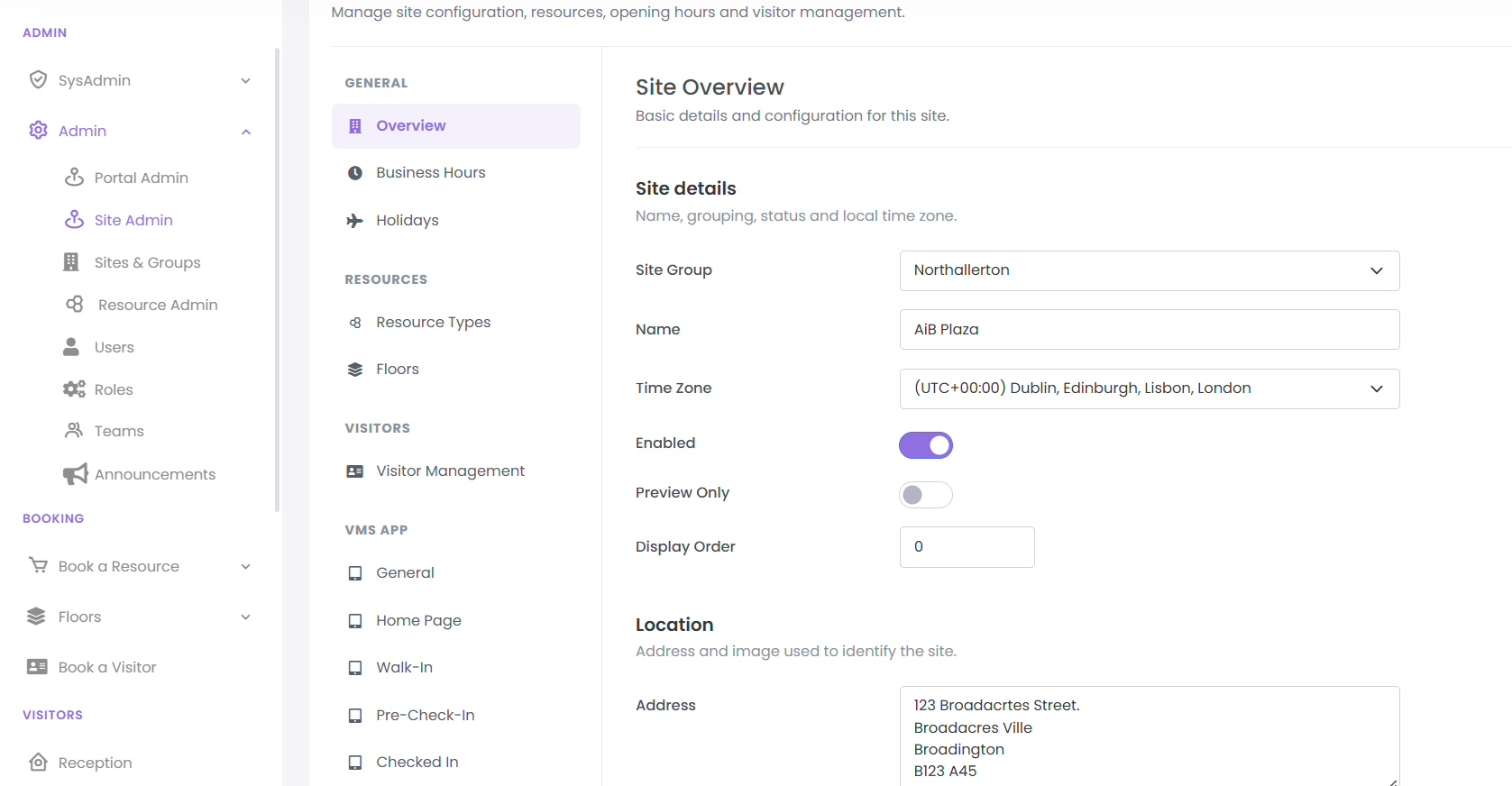
01 / SET THE LOCATION
Actual site administration showing site group, name, time zone and status
Manage each location, including its time zone and local configuration.
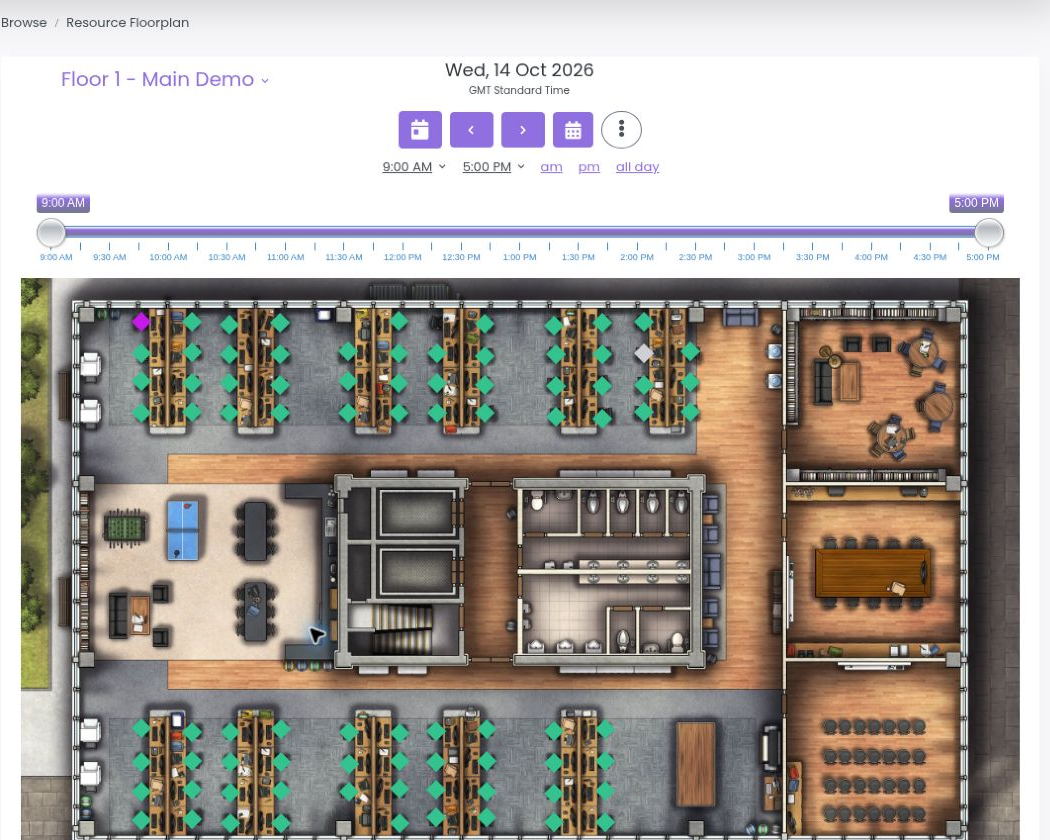
02 / MAKE THE SPACE BOOKABLE
Genuine askAiB demo floorplan with bookable desks, meeting spaces and availability markers
Add floorplans and resources so people can find the space they need. Booking view shown.
Setup is only the beginning

When the workplace changes,
you can change askAiB.

Space changes

Update the places people use.

Create, edit or remove sites, floors and resources. Keep floorplans and resource details aligned with the actual workplace.

People change

Keep access aligned with your teams.

Manage users, roles and teams. Use automated provisioning to connect user management with your Microsoft directory.

Policies change

Adjust the rules as you learn.

Review booking notice, check-in and no-show settings, then update resource restrictions and availability as needs evolve.

Visitor journeys change

Keep the arrival experience current.

Edit invitation emails and arrival instructions. Configure the onsite check-in app’s welcome message, branding, QR, walk-in and check-out options.

Explore visitor management
The right amount of help

Deploy it yourself.
Or ask us to help out.

Keep control of your environment whichever route you choose. Our involvement can match the work you want help with.

View implementation pricing
01

Self-service

Configure your environment with documentation and normal product support.

02

Assisted onboarding

Get help with specific setup work, such as configuration, floorplans, integrations or admin training.

03

Managed deployment

Work with us on configuration, testing, training and rollout for a larger or more involved deployment.

Implementation services are separate from normal product support. Exchange synchronisation has its own setup and annual integration charges.

Start with your workplace

Show us what needs to work.
We’ll show you how to set it up.

Book a tailored demo Or start your free 14-day trial